Blender and TinkerCAD
Mastering techniques, detailing your 3D objects
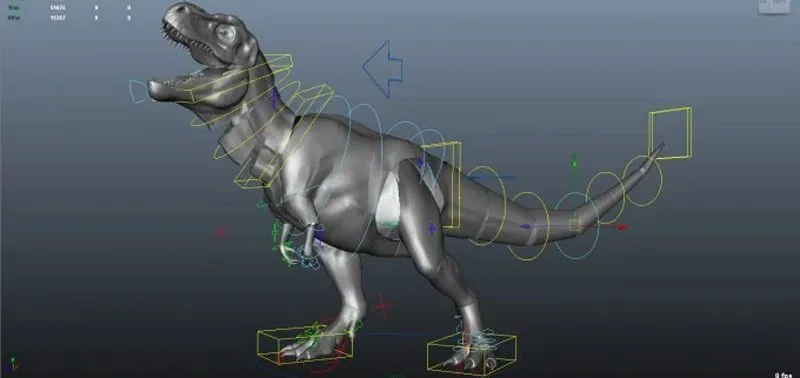
Getting creative with simple Blender and TinkerCAD animation.
Blender and TinkerCAD
Playing with Animated Characters
TinkerCAD is a simple and easy-to-use tool for making 3D designs. It's great for making basic 3D shapes and trying out simple ideas, and is mainly used by beginners, like students and hobbyists, who are just starting to explore 3D design.
Blender is a powerful computer program that helps people create 3D things, like characters, animations, and games. You can use Blender to make detailed 3D models, animate them to move, and even create cool visual effects. Blender is used by both beginners and experts for various creative projects.
Why choose us
Why Blender and TinkerCAD
All-in-One Tool
Blender and TinkerCAD does everything you need for 3D animation—modeling, animating, and rendering—all in one software.
Professional Quality
Even though it's free, Blender and TinkerCAD can create animations that look just as good as those made with expensive software.
Works on Any Computer
Blender and TinkerCAD is compatible with different operating systems, like Windows, macOS, and Linux.
Helpful Community
Lots of people use Blender and TinkerCAD, so there are plenty of tutorials and forums to help you if you get stuck.
Quality curriculum
Curriculum of 3D Mastery
Levels run in order; a child joins at the level that fits their age and experience.
3D Mastery 6 modules
TinkerCAD is a simple and easy-to-use tool for making 3D designs, mainly used by beginners. Blender is a powerful program used by both beginners and experts to create detailed 3D models, animate them, and create visual effects.
Introduction to Tinkercad
- Learning Tinkercad interface and basic tools.
- Creating simple objects: cubes, cylinders, spheres, etc.
- Techniques for editing and modifying objects.
Advanced 3D with Tinkercad
- Utilizing advanced tools such as grouping, cutting, and merging.
- Creating more complex 3D models: simple buildings, vehicles, etc.
- Applying basic color, texture, and lighting to models.
Introduction to Blender
- Introduction to the Blender interface and basic navigation.
- Basic object modification techniques: translation, scaling, rotation.
- Creating simple objects and applying basic materials.
Materials, textures, and lighting in Blender
- Applying materials and textures to objects.
- Setting up lighting and environment in a scene.
- Creating realistic renderings of 3D models.
Modeling techniques
- Understanding using polygonal modeling tools: extrude, bevel, loop cut, etc.
- Understanding topology concepts and its importance in creating good models.
- Exercises in creating objects with complex details.
Basic animation with Blender
- Introduction to keyframe animation.
- Creating simple animations: object movement, rotation, etc.
- Timing adjustment and animation curves.
Locations
Head office
Outlet
Two places to learn
IT-Smart Puri Surya Jaya
Jln Raya Athena H3-65, Sidoarjo
Contact
Ask us about a class
Tell us your child's age and which course interests you, and we will reply with the schedule for your nearest outlet.
- official@itsmart.co.id
- Sidoarjo
- +62 878.5195.2989